How to Make Image Occlusion Flashcards for Diagrams
Stop covering labels with your hand. Tape over them in your notes to quiz yourself, or turn the taped diagram into image occlusion flashcards.
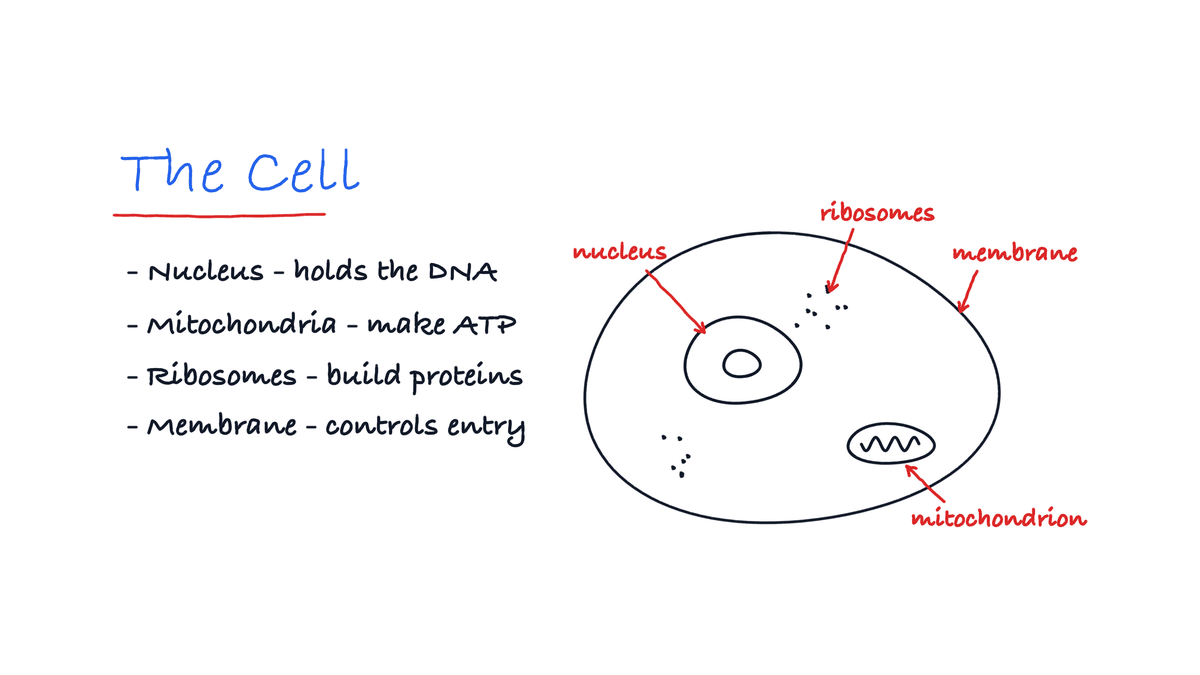
You've got a diagram full of labels to learn, and covering them with your hand isn't working. In Strawberry Notes you've got two options. Lay strips of tape over the labels right in your notes and quiz yourself. Or turn the taped diagram into image occlusion flashcards, so the app remembers which labels you keep missing.
How do you study a diagram with tape?
No flashcards needed. Open your notes and cover the answers.
- Pick the Tape tool in the toolbar.
- Draw a strip over each label. Hold still at the end of a strip to straighten it.
- Quiz yourself. Say the label, then tap the strip to peek underneath. Tap it again to cover it back up.
Put a strip in the wrong place? Switch the tool to Peel and take it off.
This is the quickest way to study a diagram the night before. But tape on a note doesn't remember anything. If you want the app to track which labels you know, make it a flashcard.
How do you make image occlusion flashcards?
- Lasso the whole diagram, labels included.
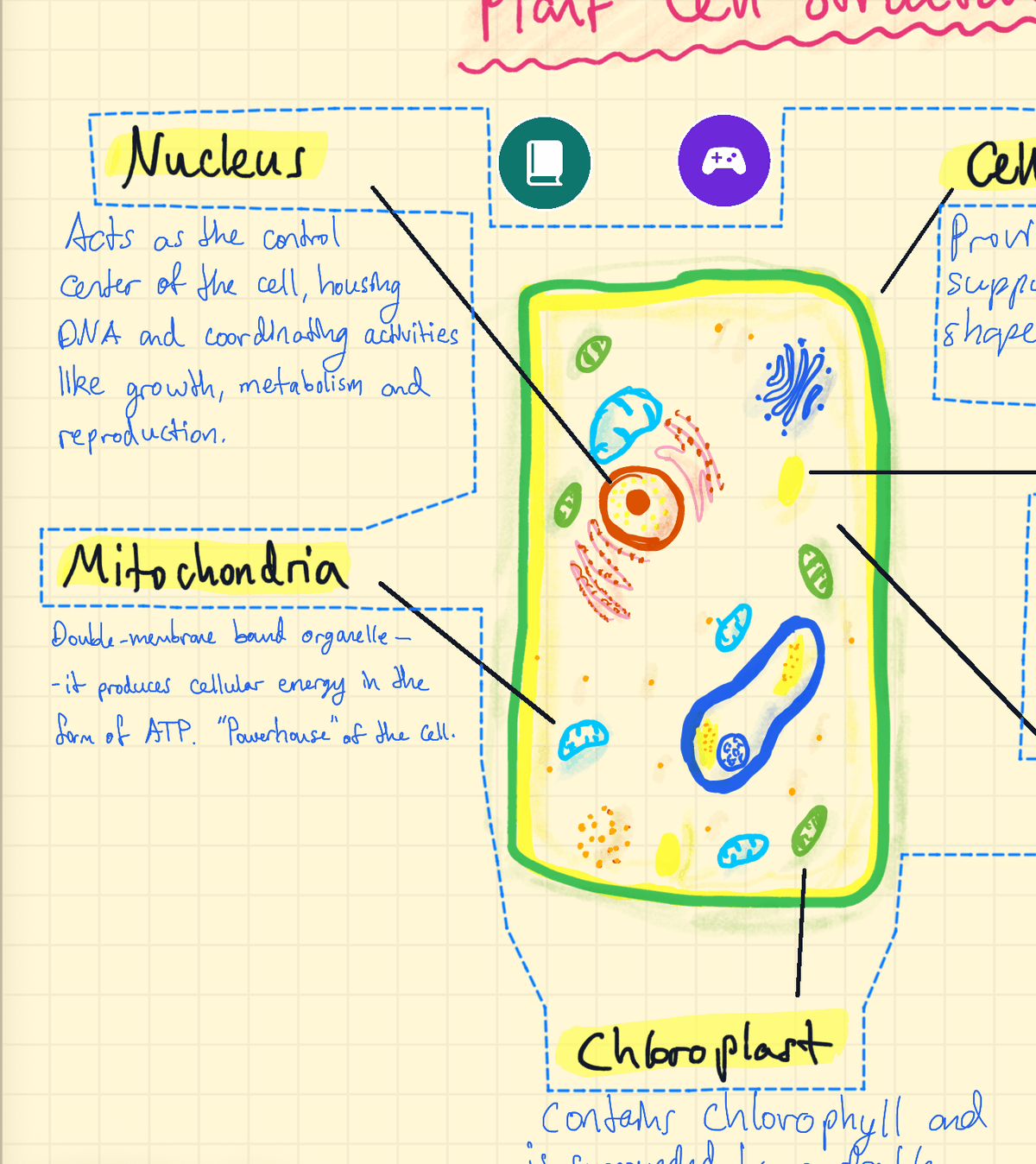
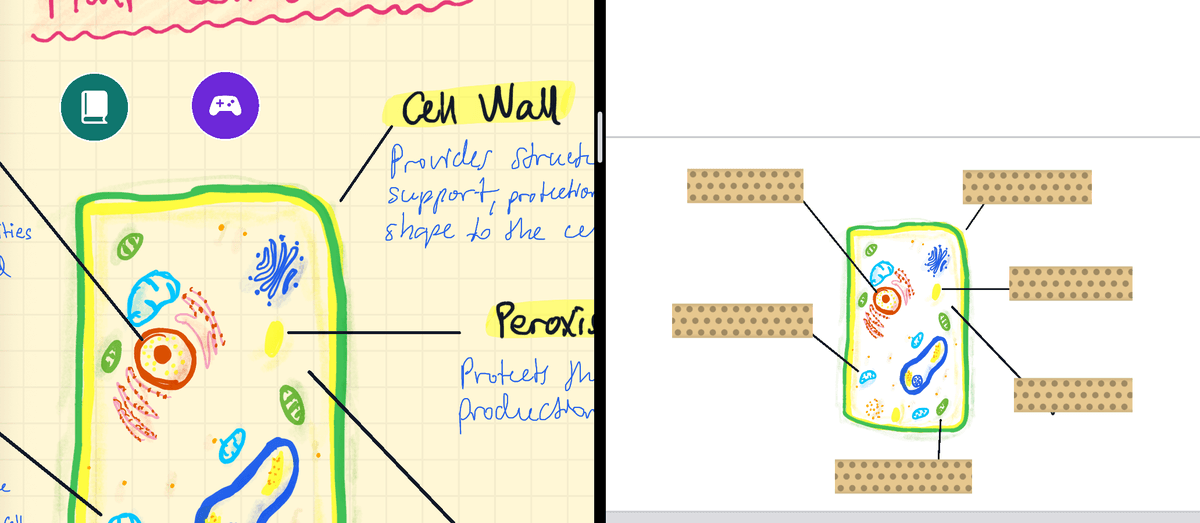
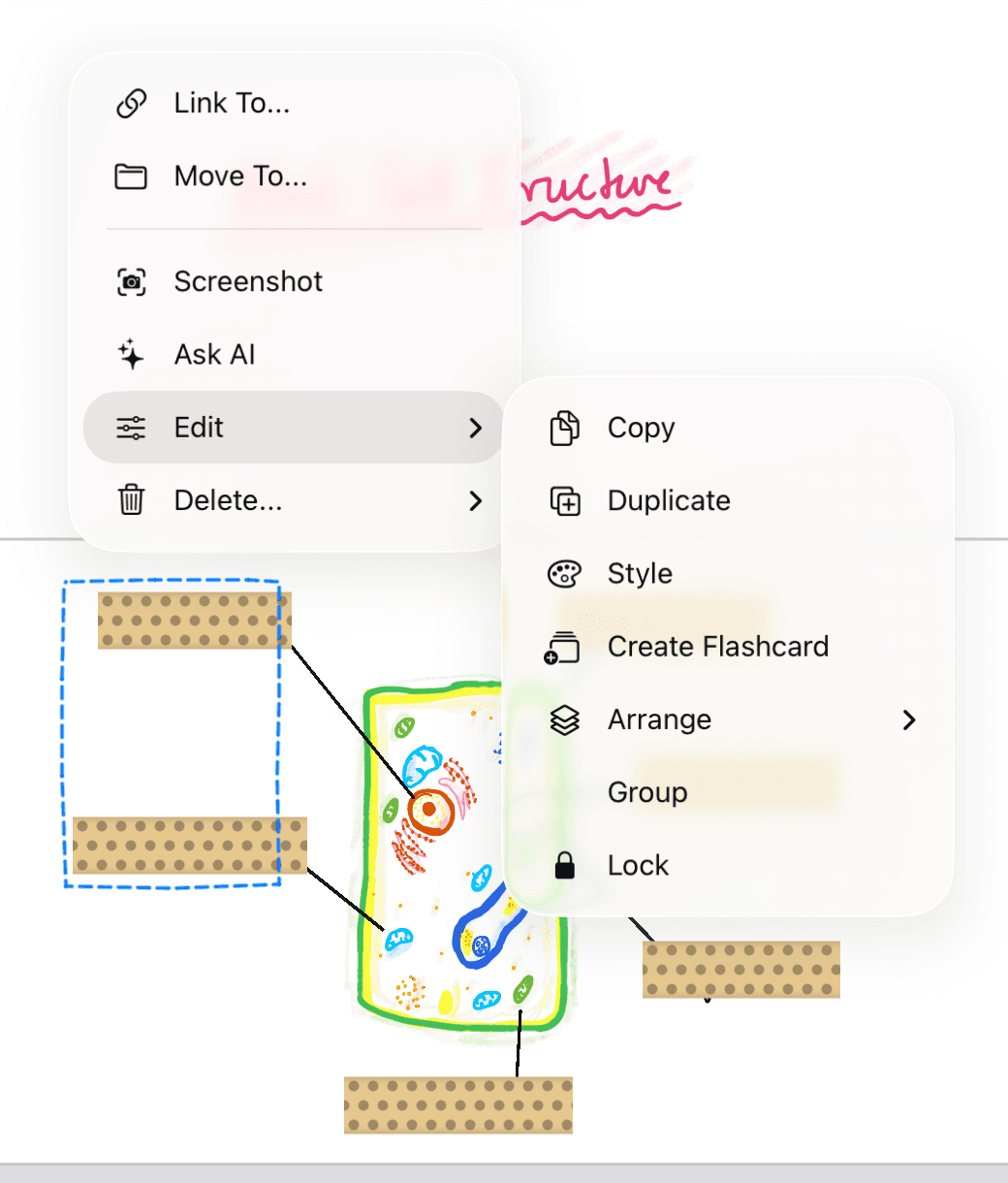
- Tap the selection, open Edit, and choose Create Flashcard. Pick a deck or make a new one. The deck opens beside your note with a copy of the diagram on the card.
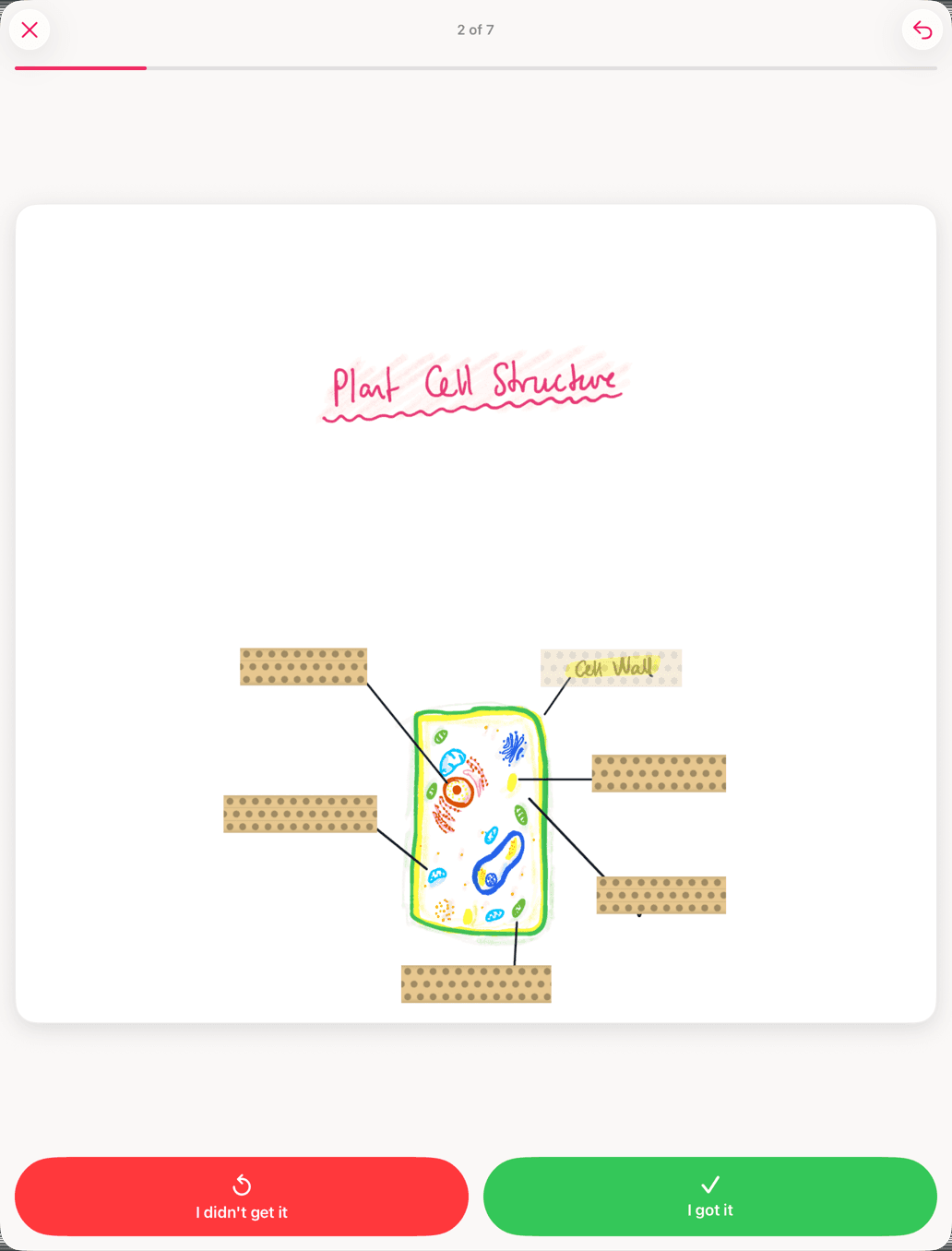
- Tape over each label on the card. That's it: a card with tape on it is an image occlusion card.
Already taped the diagram in your notes? Lasso it, tape and all. The card keeps the tape, so it's an image occlusion card straight away.
Every strip becomes its own question with its own schedule. One diagram with six labels is six questions.
Learning from a textbook figure or a slide instead of your own drawing? Add it to a note first with + → Image or Camera, then lasso it the same way.
What does studying the card look like?
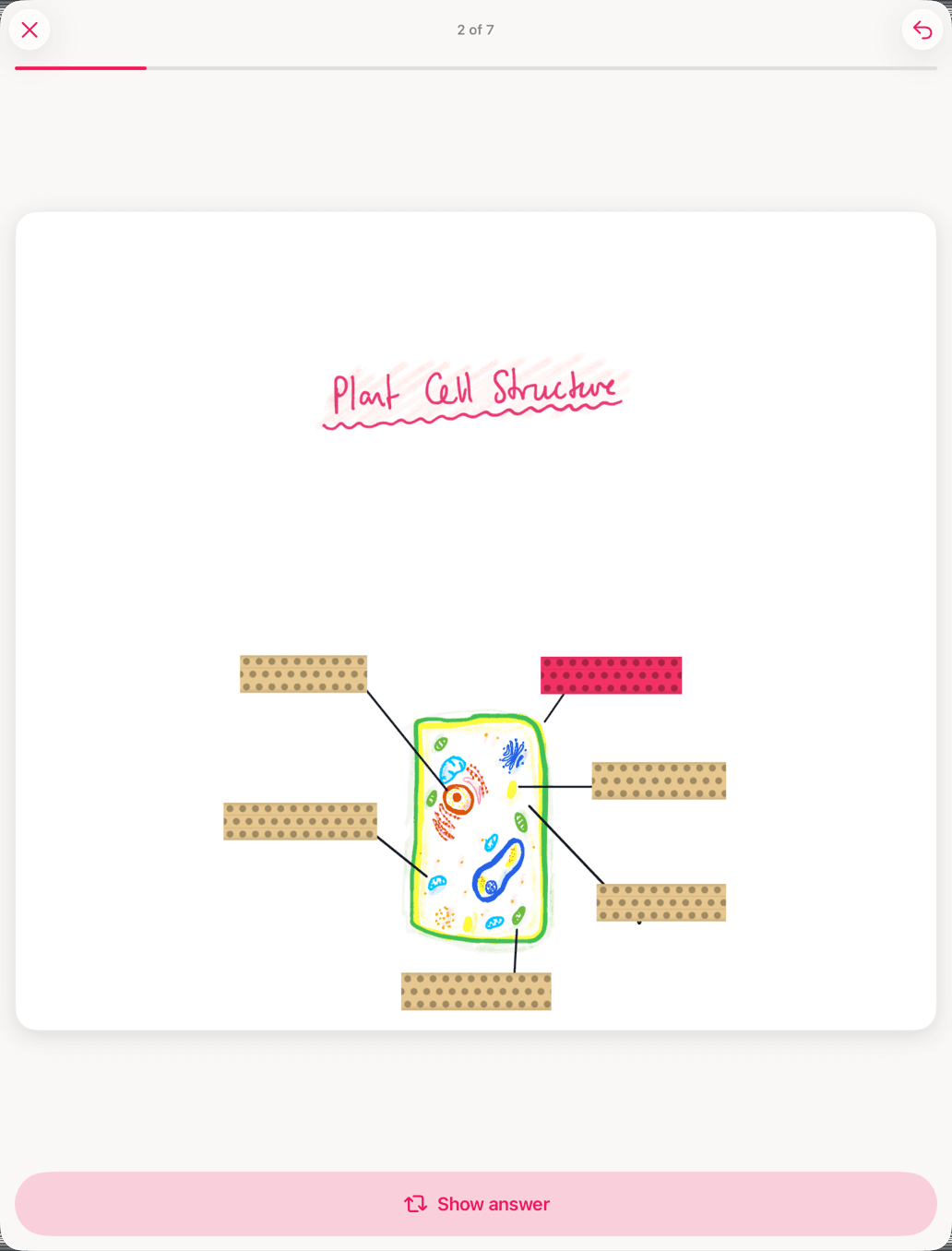
Every label starts covered, and the one you're being asked about is highlighted. Say it in your head, tap Show answer, and that strip turns see-through. Then grade yourself: I didn't get it or I got it.
The strips come up in a shuffled order, so you can't get by on remembering the sequence. Get a label right and it waits longer before it comes back. Keep missing one and you'll keep seeing it until it sticks. That's spaced repetition, one label at a time.
Which labels should you tape?
- One strip, one answer. If a strip covers two labels, you can't grade it honestly.
- Skip what you already know. Every strip is a question that keeps coming back.
- Split huge diagrams. All of a new card's strips start on the same day, so 30 labels means 30 new questions at once. Lasso the diagram in two or three parts and make a card from each.
- Group labels that are one answer. If a long label wraps onto two strips, select both and choose Edit → Group. They're asked and revealed together.
More tips, like the see-through mode for cycles and pathways: Make Image Occlusion Flashcards.