Study and Grade Flashcards
Cards only help if you study them. Strawberry Notes works out which cards are due each day, so all you do is open a deck and answer.
How to study a deck
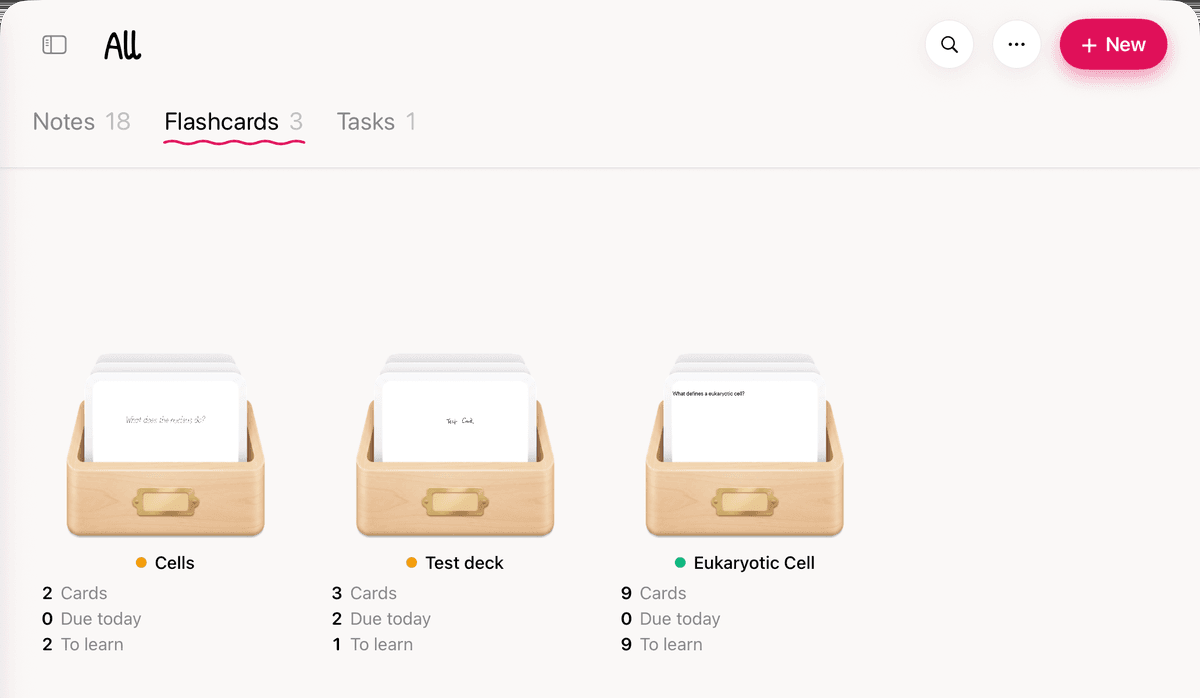
- Open the Flashcards tab. Each deck shows Cards, Due today and To learn.
- Tap a deck to start. Or press and hold it and choose Study.
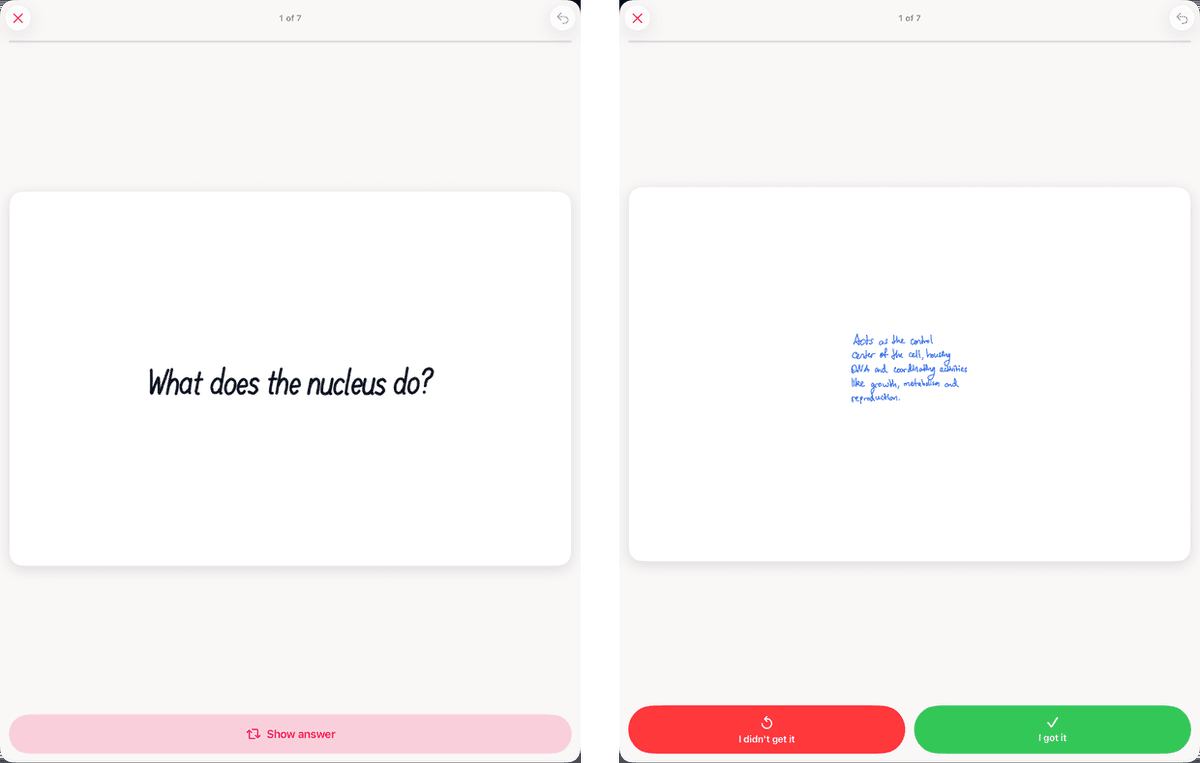
- Look at the front and think of the answer. Then tap Show answer, tap the card, or swipe it up or down.
- Grade yourself: I didn't get it or I got it. (If you changed the Rating scale in Settings, you'll see Again / Good / Easy or Again / Hard / Good / Easy instead.)
- Keep going until you see Session complete.
Due today counts the cards waiting for review. To learn counts new cards you haven't studied yet, up to today's limit.
Grading, skipping and undo
- I got it: the card comes back later. Each time you get it right, the gap grows.
- I didn't get it: the card comes back soon, often in the same session.
- Skip a card: swipe it left. Swipe right to go back to the one before. Skipping doesn't grade anything, and skipped cards come back at the end.
- Tapped the wrong button? Tap the undo arrow at the top. The card goes back to how it was, and you can grade it again.
- Stopping early: tap the ✕. If you've answered any cards, tap End Session. Your answers so far are saved. Keep Studying takes you back.
When you've finished
The summary shows how many cards you Studied, the share you got Correct, your Time and your Streak.
- Study more brings in 10 more new cards past today's limit.
- Practice Again goes through the whole deck again. Practice does not change your review schedule.
- Nothing to review right now means nothing is due yet. Come back later, or study ahead if the deck still has new cards.
Change how much you study
- Open Settings by tapping the Strawberry Notes name at the top of the sidebar.
- Tap Flashcards.
- Change what you need. Each change saves right away.
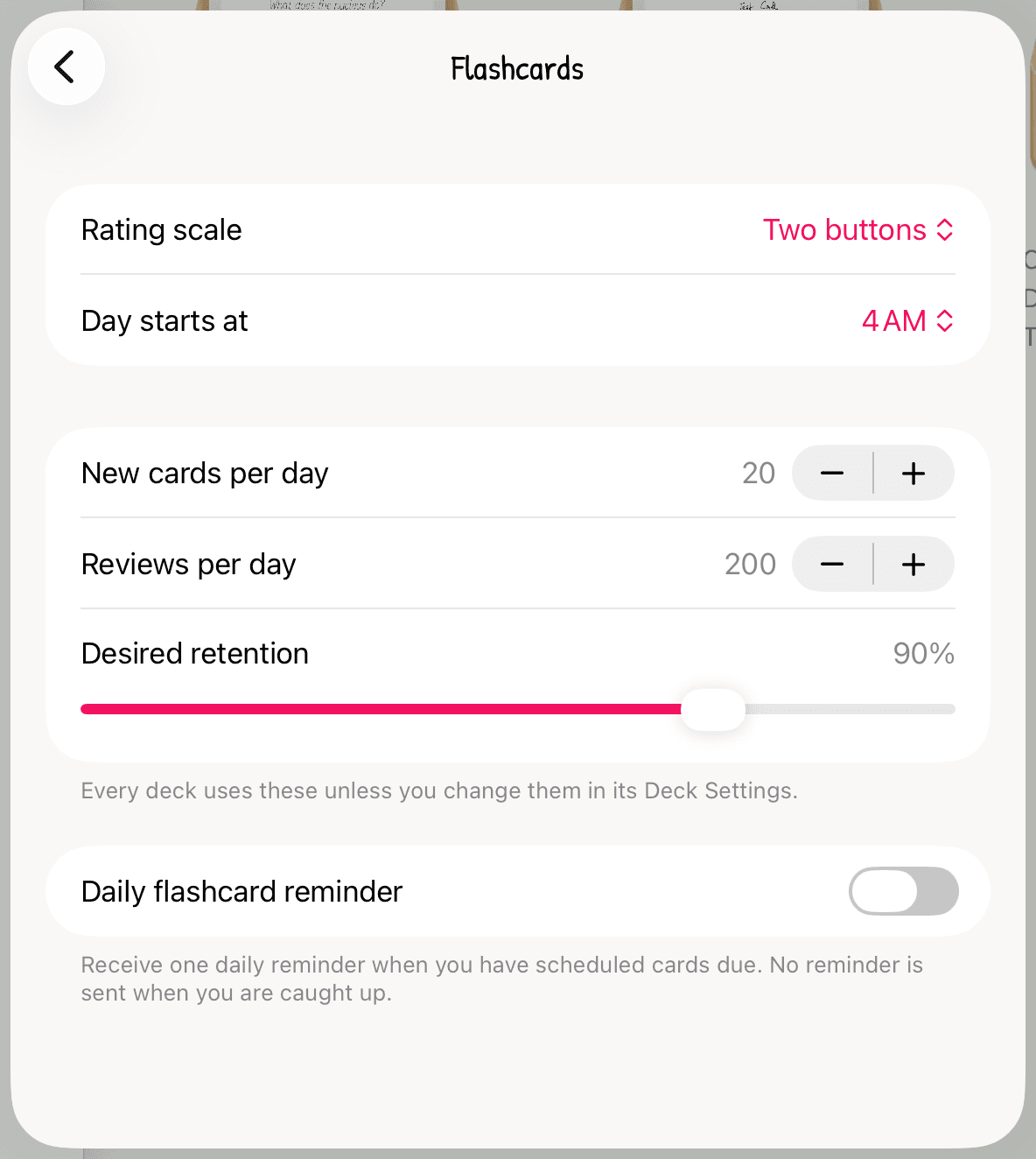
- Rating scale (starts with Two buttons): switch to Three buttons or Four buttons to grade with Again, Good and Easy, or with Again, Hard, Good and Easy.
- Day starts at (4 AM to start): when a new study day begins. Studying at 1 AM still counts toward the day before.
- New cards per day (20 to start): how many new cards each day brings in.
- Reviews per day (200 to start): the most reviews in one day.
- Desired retention (90% to start, from 70% to 97%): how sure you want to be of remembering a card when it comes back. Higher means you'll see cards more often.
These settings apply to every deck. Strawberry Notes schedules reviews with FSRS, a modern spaced repetition method.
Give one deck its own limits
- In the Flashcards tab, press and hold the deck and choose Deck Settings.
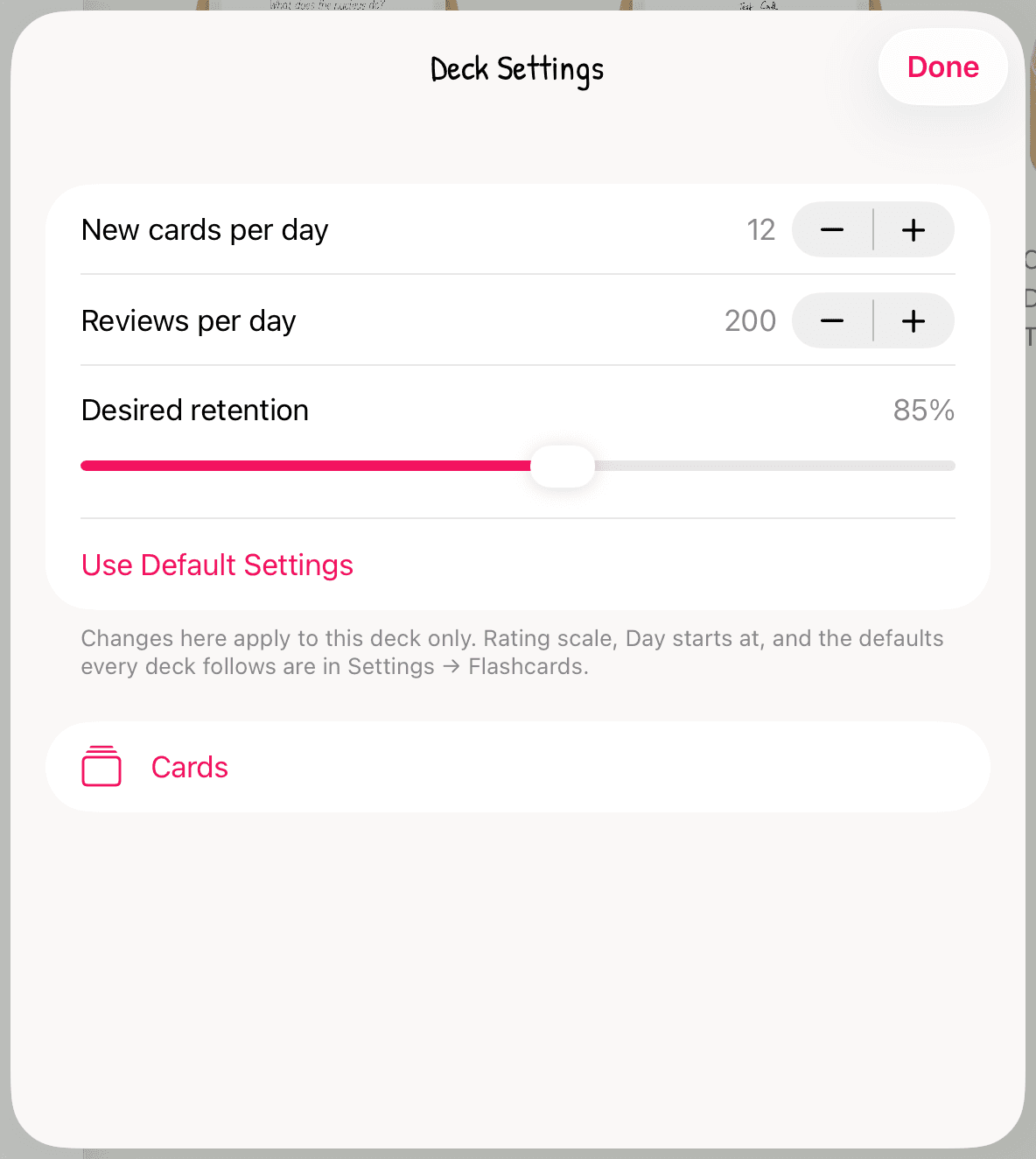
- Change New cards per day, Reviews per day or Desired retention. Only this deck changes. Your other decks keep following Settings.
- To follow Settings again, tap Use Default Settings.
- Cards: the deck's cards, with a switch for cards that have tape. See Make Image Occlusion Flashcards.
A hard class can get more new cards than an easy one.
Get a daily reminder
- Open Settings by tapping the Strawberry Notes name at the top of the sidebar.
- Tap Flashcards and turn on Daily flashcard reminder.
- Pick a Reminder time (9:00 to start), and allow notifications when your iPad or iPhone asks.
You get one reminder a day, only when cards are due. Nothing is sent when you're caught up. The reminder is set separately on each device. If you said no to notifications, tap Enable notifications in Settings.
See your progress
Press and hold a deck and choose Stats.
- Cards, Reviews, True retention and Streak at the top. True retention is the share of reviews you got right, not counting cards you're still learning.
- Due in the next 30 days: how many reviews are coming up each day.
- Last 90 days: the days you studied.
- Cards by state: how many are New, Learning, Review and Due now.